
Imagine waking up to the perfect cup of coffee without lifting a finger. With smart coffee maker automation, your mornings can become smoother, faster, and more enjoyable.
You no longer need to worry about timing, temperature, or messy setups. Instead, your coffee maker works seamlessly with your daily routine, delivering fresh coffee exactly when you want it. Curious how this simple change can transform your mornings and boost your energy?
Keep reading to discover the smart features that make your coffee experience effortless and exciting.
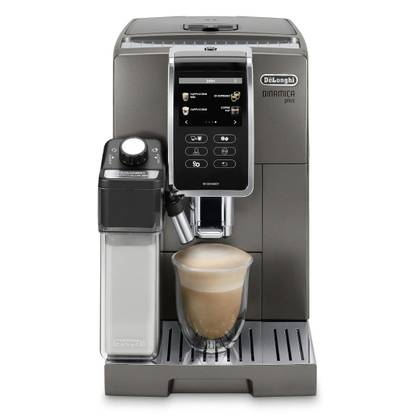
Credit: www.androidpolice.com
Benefits Of Smart Coffee Makers
Smart coffee makers bring ease and convenience to your daily routine. They use technology to make brewing coffee faster and better.
These devices save time, let you choose how your coffee tastes, and connect with other smart home gadgets.
Time-saving Features
Smart coffee makers can start brewing at a set time. You wake up to fresh coffee without waiting.
Some models let you control them with your phone. You can brew coffee while getting ready or on your way home.
- Schedule brewing times in advance
- Remote start and stop from mobile app
- Automatic shut-off to save energy
Customizable Brewing Options
You can adjust the strength and temperature of your coffee. Make it just how you like every time.
Some smart coffee makers allow you to save your favorite settings. This helps you get a perfect cup without extra steps.
- Choose coffee strength: mild, medium, strong
- Set brewing temperature to suit your taste
- Save custom profiles for different users
Integration With Smart Home Devices
Smart coffee makers work with voice assistants like Alexa or Google Assistant. You can use voice commands to brew coffee.
They also fit into smart home systems. This lets you create routines that include making coffee with other daily tasks.
- Voice control for hands-free operation
- Works with smart lights and thermostats
- Can be part of morning or evening routines
Key Technologies Behind Automation
Smart coffee makers use technology to make brewing easy and fast. These devices connect to other gadgets and follow commands automatically.
Automation helps save time and gives you fresh coffee when you want it. Different technologies work together to make this happen.
Wi-fi And Bluetooth Connectivity
Wi-Fi and Bluetooth let smart coffee makers connect to your phone or home network. This connection allows remote control and status updates.
Wi-Fi works well for long-distance control, while Bluetooth is good nearby. Both help the coffee maker receive commands and share information.
- Wi-Fi enables control from anywhere with internet
- Bluetooth connects quickly within short range
- Both support real-time updates and alerts
Voice Control Compatibility
Voice control lets users start coffee making using simple spoken commands. Devices connect with smart assistants like Alexa or Google Assistant.
This hands-free feature adds convenience, especially when hands are busy or dirty. You can ask for coffee without touching the machine.
- Works with popular voice assistants
- Allows hands-free operation
- Supports simple voice commands
App-based Controls And Scheduling
Apps let you set brewing times and customize coffee strength from your phone. Scheduling ensures coffee is ready when you want it.
Apps also show machine status and maintenance alerts. This control makes using the coffee maker easier and more flexible.
- Set brewing time and coffee preferences
- Receive alerts for water and filter status
- Control the machine from anywhere
Choosing The Right Smart Coffee Maker
Smart coffee makers bring convenience to your morning routine. They connect to your phone or voice assistant for easy control.
Choosing the right one depends on your needs. Consider features like size, speed, and ease of use before buying.
Capacity And Brewing Speed
Think about how much coffee you drink daily. A larger capacity saves time if you make many cups.
Brewing speed matters if you want coffee fast. Some smart makers brew quickly without losing flavor.
- Small capacity (1-4 cups) fits single users
- Medium capacity (4-8 cups) works for families
- Fast brewing takes 5 minutes or less
- Slower brewing may taste richer
User Interface And Ease Of Use
Choose a smart coffee maker with a simple control panel. Clear buttons and displays help avoid mistakes.
Mobile apps or voice commands make operation easier. Check if the app is user-friendly and reliable.
- Touchscreens offer quick access to settings
- Voice control works with popular assistants
- Apps let you schedule brewing remotely
- Easy cleaning features save time
Price And Brand Reliability
Set a budget before shopping. Smart coffee makers vary widely in price based on features.
Pick brands known for quality and support. Reliable brands offer better warranties and customer help.
- Lower price models cover basic smart features
- Higher price models add advanced functions
- Well-known brands often last longer
- Check reviews for durability and service
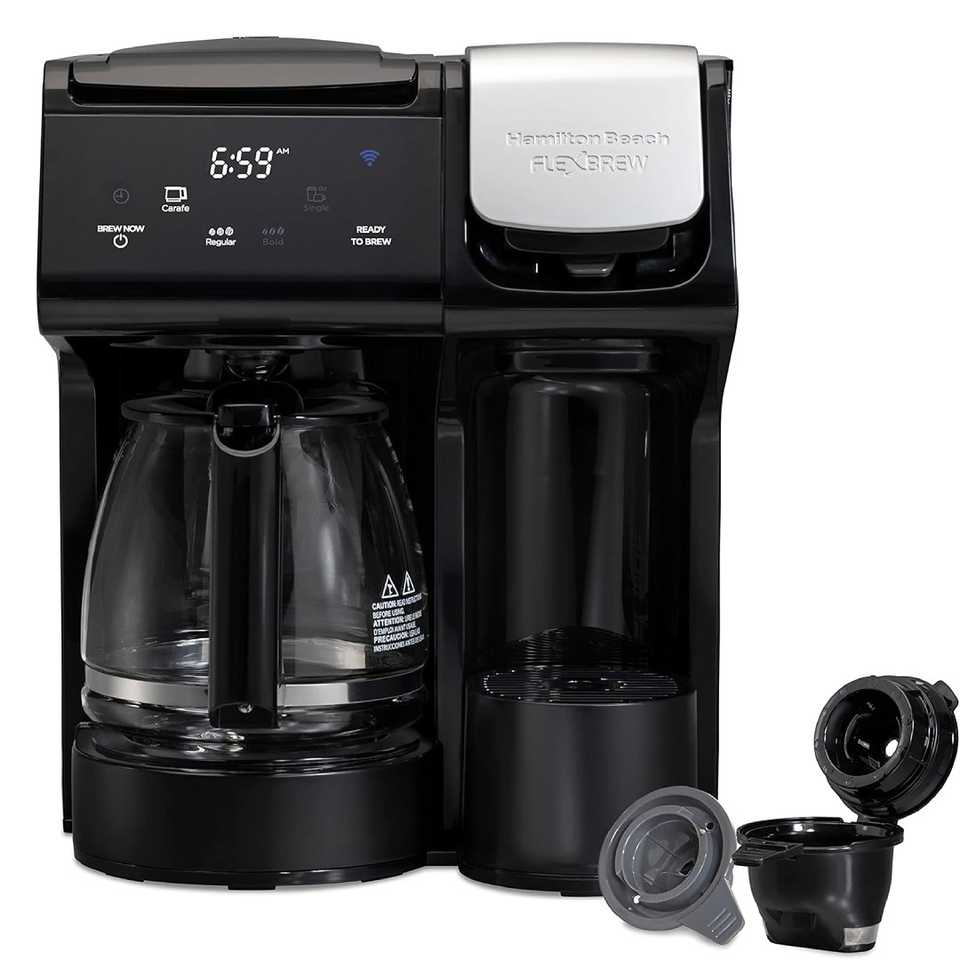
Credit: www.androidpolice.com
Setting Up Your Smart Coffee Maker
Setting up your smart coffee maker is easy and quick. It lets you control coffee brewing from your phone.
Follow simple steps to connect the device and set your preferences. Enjoy fresh coffee anytime.
Connecting To Wi-fi
Connect your smart coffee maker to Wi-Fi for remote control. Make sure your network is stable.
Use the coffee maker’s screen or app to find your Wi-Fi name. Enter the password carefully.
- Turn on the coffee maker
- Open settings on the device or app
- Select your Wi-Fi network
- Enter Wi-Fi password
- Wait for confirmation
Pairing With Mobile Apps
Pair the coffee maker with its mobile app to control it from anywhere. Download the app first.
Follow app instructions to connect to your coffee maker. This lets you start brewing from your phone.
- Download the official app from your app store
- Open the app and create an account
- Turn on Bluetooth or Wi-Fi on your phone
- Search for your coffee maker in the app
- Select the device and complete pairing
Creating Brewing Schedules
Set brewing schedules in the app to get coffee ready at set times. Choose your favorite brew strength.
Schedules save time and ensure fresh coffee when you want it. You can change or delete schedules anytime.
- Open the app and go to scheduling
- Pick days and times for brewing
- Select brew strength and cup size
- Save the schedule
- Edit or delete schedules as needed
Enhancing Your Morning Routine
Starting the day with a fresh cup of coffee helps many people feel awake. Smart coffee makers use technology to make mornings easier.
These machines automate coffee brewing and fit smoothly into daily habits. They save time and offer a better coffee experience.
Automated Brew Start Times
Smart coffee makers can start brewing coffee at set times. You can program the machine to have coffee ready when you wake up.
This feature saves time and ensures your coffee is hot and fresh. No need to wait or prepare coffee manually in the morning.
Personalized Coffee Strength And Temperature
You can adjust the strength of your coffee to match your taste. Smart machines also let you set the perfect brewing temperature.
This customization helps you enjoy coffee just the way you like it every day. It makes your morning drink more satisfying.
- Choose mild, medium, or strong coffee
- Set temperature for hot or warm coffee
- Save favorite settings for quick use
Integration With Morning Alarms And Routines
Smart coffee makers can connect with your alarm clock or smart home devices. This lets coffee start brewing as you wake up.
The machine works with your morning schedule to make your routine smoother. It helps you save time and enjoy coffee without delays.
Troubleshooting Common Issues
Smart coffee makers bring convenience to your daily routine. Sometimes, they may face simple issues. Troubleshooting helps fix these problems quickly.
This guide covers common problems and how to solve them for smooth use of your smart coffee maker.
Connectivity Problems
Smart coffee makers often connect to Wi-Fi or Bluetooth. If connection fails, the device may not work correctly.
Check if your Wi-Fi network is working and the coffee maker is within range. Restart your router if needed.
- Ensure the coffee maker is powered on.
- Reconnect to the correct Wi-Fi network.
- Restart the coffee maker and your router.
- Update the coffee maker’s firmware if available.
- Check for interference from other devices.
App Syncing Errors
The coffee maker syncs with a mobile app for controls and settings. Syncing errors stop this communication.
Make sure your phone’s Bluetooth or Wi-Fi is on. Keep the app updated to avoid bugs.
- Close and reopen the app.
- Log out and log back into the app.
- Restart your phone and the coffee maker.
- Check app permissions for network access.
- Reinstall the app if syncing still fails.
Maintenance And Cleaning Alerts
Your smart coffee maker sends alerts for cleaning and maintenance. Ignoring these can cause poor coffee taste or damage.
Follow the alerts promptly. Use the recommended cleaning products and methods for your model.
- Descale the machine when alerted.
- Clean the water reservoir and drip tray regularly.
- Replace filters as needed.
- Wipe the exterior with a damp cloth.
- Reset alerts after completing maintenance.
Future Trends In Coffee Maker Automation
Coffee makers are getting smarter with new technology. Automation helps make better coffee with less effort.
The future holds exciting changes for coffee lovers. Machines will learn your tastes and save energy.
Ai-powered Brewing Adjustments
AI can adjust brewing time, temperature, and strength. It learns from your preferences to make perfect coffee.
This technology uses sensors and data to improve each cup. It can also suggest new recipes based on your habits.
Voice Assistant Advancements
Voice assistants will control coffee makers with simple commands. You can start brewing without touching the machine.
They will understand more natural language and answer questions about your coffee. This makes the process fast and easy.
Sustainability And Energy Efficiency
Future coffee makers will use less energy and reduce waste. They will have smart timers and eco-friendly modes.
Some models will recycle used coffee grounds for gardening. These features help protect the environment while making coffee.

Credit: www.pcmag.com
Frequently Asked Questions
What Is A Smart Coffee Maker Automation System?
Smart coffee maker automation uses technology to brew coffee automatically. It allows scheduling, remote control, and customization via apps or voice assistants. This system enhances convenience and consistency for coffee lovers, saving time and effort daily.
How Does Smart Coffee Maker Automation Improve Coffee Brewing?
Automation ensures precise water temperature, brewing time, and coffee strength. It maintains consistency and quality in every cup. Users can customize settings easily, resulting in a perfect brew tailored to personal preferences each time.
Can I Control A Smart Coffee Maker Remotely?
Yes, most smart coffee makers connect to Wi-Fi or Bluetooth. This enables remote control through smartphone apps or voice commands. You can start brewing coffee before reaching your kitchen, adding convenience to your daily routine.
Are Smart Coffee Makers Compatible With Voice Assistants?
Many smart coffee makers integrate with voice assistants like Alexa, Google Assistant, or Siri. This allows voice-activated brewing commands and status updates. It enhances hands-free operation and smart home connectivity for seamless coffee preparation.
Conclusion
Smart coffee maker automation simplifies your morning routine. It saves precious time. Enjoy fresh coffee with just a tap. No more waiting or complicated steps. These devices fit perfectly into modern lifestyles. They offer convenience and comfort. Technology has truly transformed our coffee experience.
Smart features make brewing easy and efficient. Embrace this new way of making coffee. It’s perfect for busy mornings or lazy weekends. The future of coffee is here. Automated, simple, and satisfying. Make your mornings smoother. Enjoy your coffee, hassle-free.
Start your day the smart way.
20 min read